HoP:Remastered v1.40a Release

3d-mode-distance-shader

So after receiving a whole bunch of bug reports and feedback, the next version is ready for public devouring. Full change-log is at the bottom of this post, as usual.

Go to the downloads page and get it, or just click here and be lazy.

The screenshots and gameplay information pages have been updated to reflect the new version.

Other News

Rune said there’s be an art post sometime soon, probably this week. Stay tuned!

A Word on Graphics

One issue several people were having was errors in the texture atlas. Hopefully, those errors have been resolved (I rewrote how the atlas computes your maximum texture size). In the interest of providing options, though, I have provided some .bat files to modify how the program renders 3D mode.

Run the program normally to access Standard mode. This mode renders as it did before, though it now has lighting provided in the shader (no lightmaps).

Run ZPotato.bat if you think your graphics card sucks. Potato mode causes the program to not attempt to atlas the textures and not use shaders. It should be backwards compatible with a lot of machines, though it will lag horribly since it’s not optimized. If you can’t get any other rendering version running, at least Potato lets you play the game, right?

Run ZFullNoVAO if your graphics card might be out of date, but still not terrible. This mode uses atlasing and shaders, but does not use Vertex-Array-Objects. While VAO support has been around for a long time (OpenGL 2.1, July 11th, 2008) some machines, particularly Intel-chip laptops, often don’t have support for them.

Run ZFullWithVAO if you’re on a desktop machine. VAOs improve rendering speed and this is the intended experience. Most machines should have a smooth 60fps with VAOs enabled, and we haven’t even gotten to visibility culling yet!

The UI

Some helpful people politely requested a larger UI, showing more of the character off. Here’s a comparison screenshot.

3d-mode-ui-comparison

The version on the left can be accessed in “Play 3D Classic Mode”->”3D Options”->”Use Alt UI”. It takes more space, but if you’re using a widescreen monitor or resolution it’s less of a problem. Remember you can press F11 to activate fullscreen!

Boring Patch Notes

  1. Rewrote the screen sizing code to account for widescreen and fullscreen non-letterboxing. It’s all new code, and it’s been tested at every resolution my graphics card can handle. This should deal with all the 3D mode issues involving the UI going off the edge of the screen at certain resolutions.
  2. Added many specialized rendering modes in an attempt to allow older machines to run 3D mode.
  3. Added an options menu for 3D mode. Options changed in it affect 3D mode and only 3D mode.
  4. Added a walk speed option. You can now go SANIC FAST if you felt that the movement/rotation speed was a bit too sluggish in 3D mode. By
    using this option, you forefeit any right to sue me for whiplash. You will go fast…
    (Max speed factor is 3.5x the base movement, minimum is half the base movement speed.)
    (Suggested by Malinwaar)
  5. Polymorphed humans now ignore collar/necklace traps, and can’t put collars or necklaces on until the ring’s effects wear off.
  6. You will now be unable to move around if you are stunned/controlled/out of stamina. A message will appear in the console to warn you when you can’t move.
  7. Rewrote the path-building algorithm. You should no longer get stuck when under control of something (necklace, golem core). (Thanks, several people!)
  8. Pathing while under control of something should now emulate movement.
  9. Rewrote the teleportation algorithm. Should be a lot more user-friendly. Still needs some on-screen transition images to make it less jarring.
  10. Added the downstep code so moving down a stairwell will be (slightly) less jarring.
  11. Entities will now dynamically place themselves in front of you when the turn ends. No longer will you need to rotate to face them when entering a new room. This will likely need some more finagling to make it play nicely.
  12. Fixed whatever the error involving warp globes was. (Thanks, rndmvar!)
  13. Directional movements now report correctly in the console (“Sanya goes south” now means Sanya, in fact, went south).
  14. Added some spookiness to the shaders. They now shade by distance, making it easier to spot depth in similarly-textured objects. Lightmap rendering flags are now ignored for the time being. Might use per-scene shader lighting in the future.
  15. Added an alternate UI layout which can be enabled in the 3D menu. It consume more screen space but provides a better look at your character.
  16. The Self-menu is now always expanded in 3D mode. You can access it with a single click instead of two!
  17. Item and Self-Menu names that are too long will scale down to remain visible in the UI.
  18. The game status display will appear in the top left, informing you of turns elapsed, monster/human totals, etc. in 3D mode. (Thanks, Malinwaar!)
  19. Slime infection status appears above your character portrait in 3D mode.
  20. Fixed the horizontal flipping bug in -1, 0, 0 normals. (75% of you won’t know what that means!)
  21. Fixed the player sometimes starting in the basement after resetting the program from the system menu.
  22. Used virtual files to improve loading speed on some systems for 3D levels.

Known Issues

  1. There are still lots of geometry issues, as the 3D map is still incomplete. It will be completed in the 2.0 release.
  2. A lot of story-display sequences don’t actually bring up the story display. I just need to go back through the scripts for that.
  3. Teleportation looks really bad, and will likely need an overlay to make it less jarring.
  4. I am by no means happy with how the program adds and removes entities to the screen if you remain in the same room for several turns. It’s functional, but needs a user-friendliness rework.
  5. I’m similarly not happy with the items/chests/weapons appearing on the radar display in 3D mode. Both rotating with the camera and not look bad, so a different method will need to be found to display them.
  6. Some of the movement paths clip through the geometry (Lobby->Lower Corridor W South). Doesn’t cause any real bugs, just looks silly.
  7. The Garden W->Garden Storage path is very close to the Garden W->Garden C path. That needs to be fixed in the geometry.
HoP:Remastered v1.20 Release

Introducing 3D Mode!

That’s right comrades, now you can play House of Pandemonium in glorious 3D!

Go to the downloads page to get it, or click here.

A primer on using 3D mode is provided on this page. The controls are not obvious unless you play FPS games a lot, and there are some useful shortcuts available.

The game is entirely functional in terms of what was available in the 1.0 release. All monsters work, items work, etc. However, some parts of the UI are works-in-progress and the level itself is only about 40% complete. It’ll be fairly obvious which parts are incomplete, they’re square brick rooms with no detail.

Screenshots

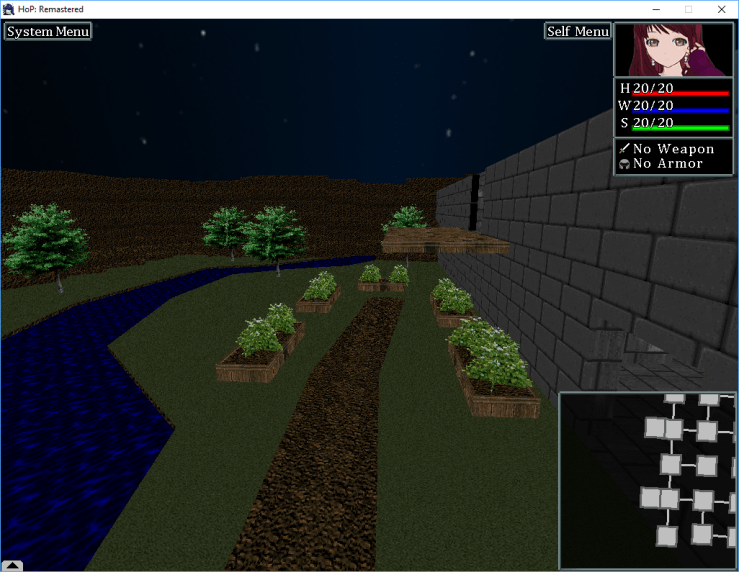
You can see more screenshots on the… screenshots page. Here’s one to keep your interest.

3d-mode-southern-edge

Known Bugs

Obviously, this is not a completed implementation of 3D mode. There are some bugs lying around, but I have deemed them insufficiently serious to warrant delaying the release. Here are the ones I know about (and if you add comments, I might modify this list).

  1. Item usage as a faerie needs to be locked out more robustly. Using a cursed necklace in faerie mode is supposed to be a no-no.
  2. Some users have reported problems with the usage of cow collars. While rare, there may be double-dealloc crashes. Please report!
  3. Some of the portraits are not correctly aligned in 3D mode, particularly those of slimes.
  4. There’s no way to navigate using the mouse in 3D mode if you want to go up or down a floor. Use the keyboard for now.
  5. The transition path in the garden is very close to the basement transition path. That should be spread out.
  6. Some sequences do not bring up the story screen like they should (slime transformation finishing).
  7. The teleportation effect is far too jarring. Probably needs a screen overlay or something to soften the blow.
  8. The printed directions (“Sanya goes east”) don’t line up with how they should on the actual radar except by coincidence.
  9. You can still move around on the map even if you don’t have enough stamina to run from a monster. Your character’s position will not change, but the camera’s will.
  10. There are a number of obvious visual errors in the mansion’s geometry. Those will be fixed over time as I refine the rooms, no need to report them.
  11. Sometimes a human pushed into the Silver Mirror will not display their Rilmani TF sprites in the 3D space.

Boring Patch Notes

Here’s the patch notes for 1.20a.

  1. Fixed the bug where it was possible for two humans to open the same container during the same tick, resulting in one of them “opens the container, revealing nothing at all!”.
  2. Fixed a possible crash related to opening a container, wherein the same object was being deallocated twice.
  3. The health/will potion notification should no longer display if the player can’t see the target.
  4. Removed some debug text associated with pixies.
  5. Rolling the highest possible attack (9) is guaranteed to land a hit, even if the target’s defense is so high it’d otherwise miss. This should prevent some enemies (slimes) from being totally unable to hit a max-defense human. It also means a bare-handed human now has a (slim) chance of winning a fight!


Development Update: November 21st, 2016

Welcome to the New Site

This is the first update on the game using a wordpress site. Are your eyes bleeding? If they are, you should probably tell me in the comments, because I am not a great artist here.

Where’s the Downloads?

Here. The downloads page will always be updated with the latest version of the game, in case you’re too impatient to scroll through the blather.

Posting Schedule

My goal is to post the week’s progress report every Monday, but since I’m not getting paid, I might miss certain days or be late by a bit. You’ll just have to bite the bullet and wait patiently for things.

What’s new this week?

It’s been quite a while since the last update, but I’m keeping something very big up my sleeve. You’ll probably be privy to it in a week, or so. I’m working many hours every day to keep development on track, so I’m certainly not slacking.

On the art front, Rune has completed some of the Enhanced character designs. I’ll pass along the necessary WordPress codes later today and we should hopefully see dedicated Art posts periodically. Or not. It’s not my call, and I’m not mandating an art update schedule.

Don’t expect to see everything the minute it’s complete, we want to keep some things in reserve to build hype for the next version.

As for the things I actually can tell you about, a few bugs were fixed last week which apply to Classic mode. These were related to two entities opening a container during the same tick, and a possible crash related to a double-deallocation caused by same.

Runes of Pandemonium: Downloads

You can find all of our games in these public folders, including demos and public versions of free games as well as RoP’s changelog. Each subsection shows the current version.

These folders also contains public mods even if the games themselves are not free.

Public Mega.nz Folder

Public Mediafire Folder

Adventure Mode, Electrosprite Adventure, and the Adventure Random Level Generator are in the archive.

The current version is Adventure v4.41 released April 14th, 2025.

Version 1.06, released September 15th, 2023

Used for modmaker’s needing starting code and has dynamic integration into the base game’s code.

Version 1.01, May 24th, 2022. Please see the repository for more.

Classic Mode, Classic Mode 3D, and Corruper Mode are in this archive.

The current version is Classic v3.00, April 22nd, 2020.

This version contains the Unity Monsters update. This update added latex drones, angels, dolls, and a few others.

We prefer it if you download String Tyrant from our itch.io page. If the page is not available for some inscrutable reason, mirrors are available below.
Only the demo may be acquired here. If you want the full version, please purchase it from itch.io or Steam or become a 5$ patron.

The current version is StrTy v1.04, April 28th, 2020. Only the OSX version of 1.04 is released, the windows version is unchanged.

This version is a bugfix update.

For space reasons, previous versions of the games have been culled as of April 22nd, 2020. If you really need an old version of the game for some reason, please contact the team via our email.

For amusement reasons, the very first release of Classic Mode is kept here.

Version 0.25a (Windows: Mediafire) (January 16th, 2016)

If you are a Linux user, you will need to compile the game yourself. Salty only has a Linux Mint installation, and attempts to make a cross-Linux version of the game keep failing.

Luckily, good samaritan Bicobus wrote a guide. This guide uses the older versions of the bitbucket repositories. The current engine repo is here.

This guide should be usable by an amateur. Please let the team know if we can help improve it. It is, however, slightly out of date as the project is now split into two workspaces because of annoying limitations on terminal line length in Windows 10 (fuck you, Bill Gates! You hack fraud!). You will need to compile the StarlightCore project and then point the game project to the resulting library. This is hopefully automated for you.

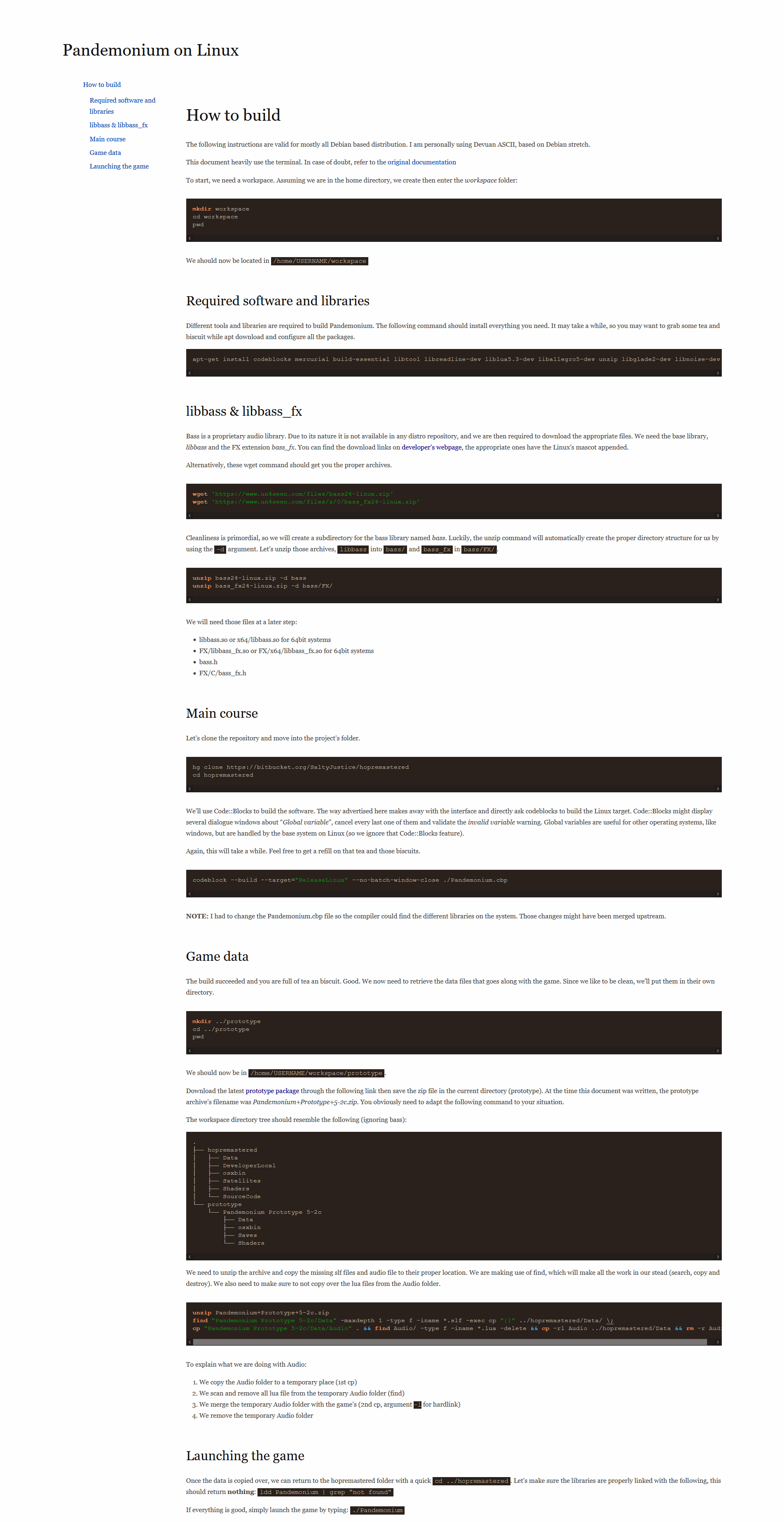
A screenshot of the guide is here, should the website go down.

Utilities used during development, or that are otherwise useful on their own merits.

Original HoP Images (Mediafire)

Collection of all the images from the original game, unsorted, in .png format. Create your own remastering! Or, you know, don’t.

Inform Image Extractor (Windows: Mediafire)

Windows 32-bit executable, extracts all images from a given .gblorb file and dumps them on the hard drive. Should work with any inform files of the same nature. No build available for Mac/Unix, though the source can be found here if you want to compile it yourself.

The ideal site for discussion is the TFGamesSite forum. I will try to read and reply to comments on this site, but it might take longer. That forum post also contains past update notices and patch notes.